 DiskKeeper
Get your disk back.Keep every build working.
DiskKeeper reads your projects, keeps the SDKs they need, and clears the caches nothing uses. Every item explains itself.
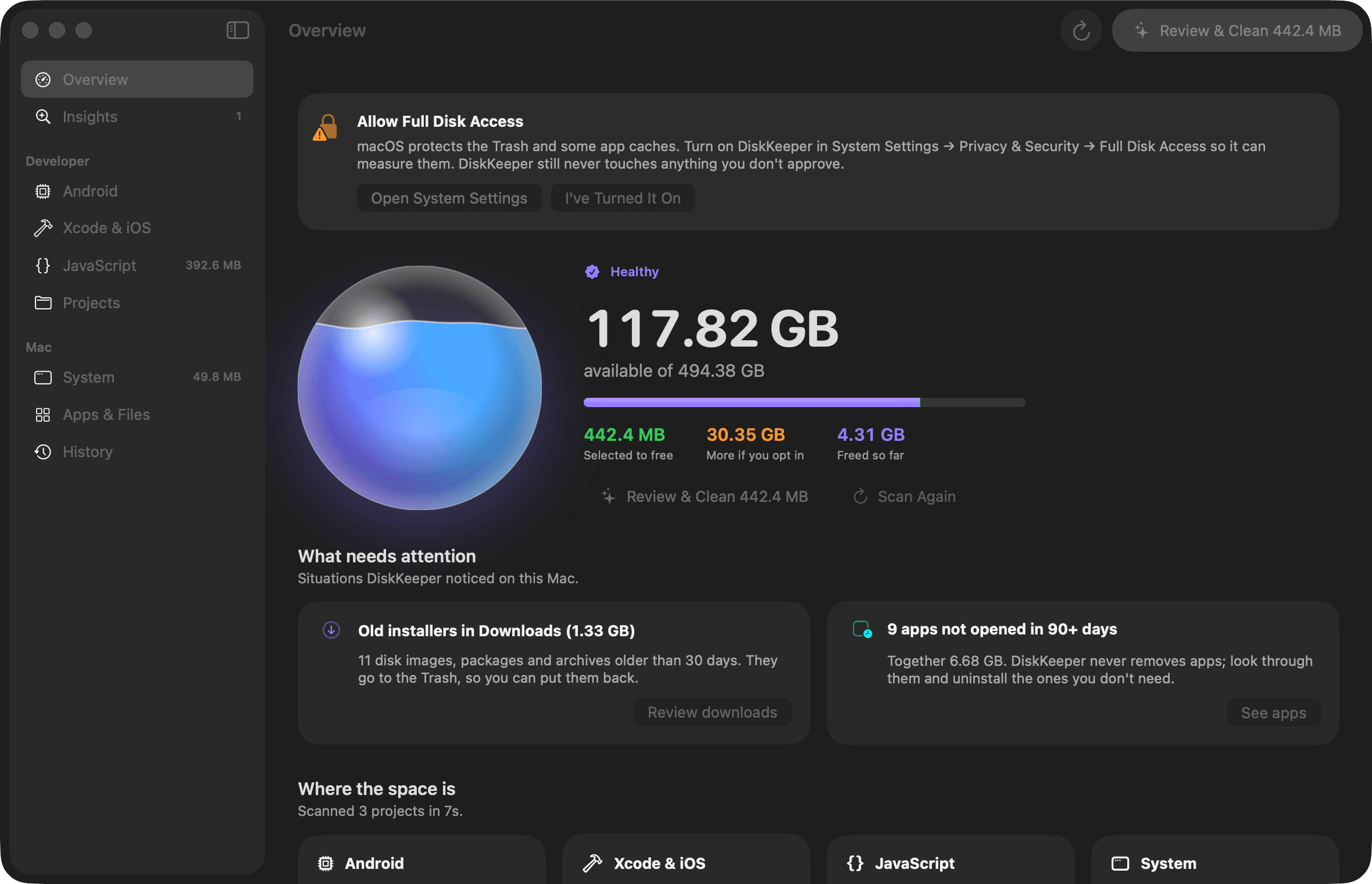
Where it started
One developer Mac, cleaned by hand, then turned into an app.
Free before
9.6 GB
Free after
10 GB
A 460 GB MacBook with six Android emulators, two iOS runtimes and a shelf of React Native projects. About 120 GB came back, and every project still built afterwards.
42 GB
of emulator system images no emulator used
22 GB
of NDK versions no project pinned
11 GB
of npm download cache
Nothing goes until it knows why.
The rule behind every decision: a toolchain version is needed if a project, an emulator or a running process uses it.
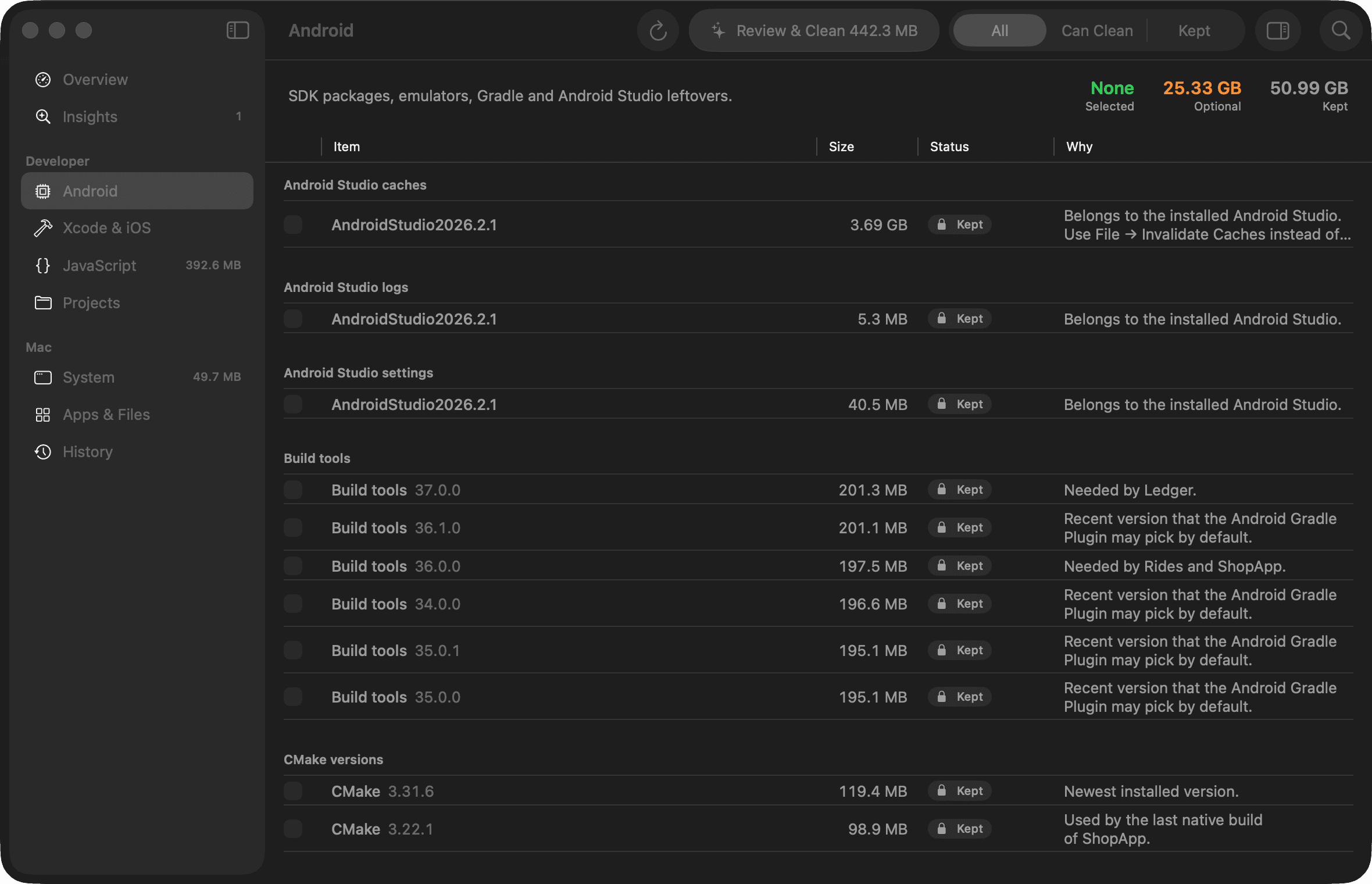
Built for the way mobile developers fill a disk.
Android
The biggest pile on most machines, and the easiest to get wrong. DiskKeeper checks every version against your projects and emulators first.
- System images no emulator boots
- NDKs, build tools and CMake no project pins
- Gradle caches for versions you moved on from
- Quick-boot snapshots of stopped emulators
- Caches and settings of old Android Studio versions
Xcode and iOS
DerivedData, old device support, unavailable simulators, and runtimes no project script or booted simulator needs.
JavaScript
npm, Yarn, pnpm and Bun caches, Metro caches, and Node versions no .nvmrc asks for.
Your Mac
Homebrew downloads, logs, caches of closed apps, old installers in Downloads, and a Trash that has quietly grown.
Your projects, only if you ask
Build outputs and the node_modules of projects you haven't touched in months. Never selected for you.
Safety
What it will never touch.
One safety check sits in front of every delete. Even a wrong rule can't get past it.
Every run leaves a receipt
~/Library/Logs/DiskKeeper/clean-*.jsonl
{"event":"item","id":"android.avdSnapshots:~/.android/avd/MP1.avd/snapshots","bytes":"2693185536","method":"Delete permanently","result":"cleaned"}
{"event":"item","id":"js.npm:~/.npm/_cacache","command":"npm cache clean --force","method":"Run clean command","result":"cleaned"}
{"event":"item","id":"js.dotslash:~/Library/Caches/dotslash","result":"failed","reason":"contains an app bundle; needs App Management permission"}
{"event":"finish","gain":"3952582656"}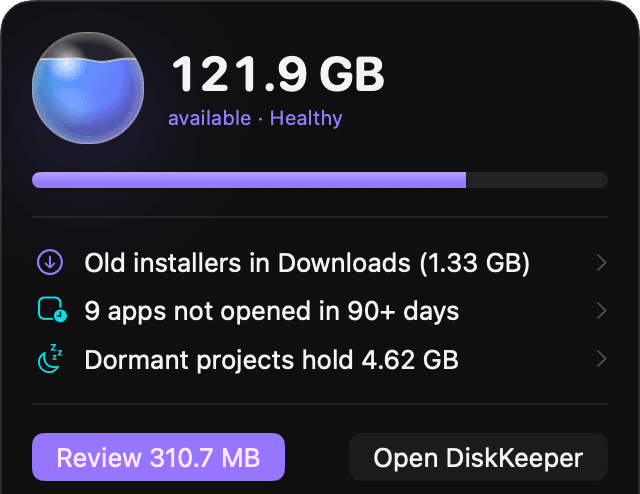
Quiet until it matters.
A small bubble in the menu bar turns amber when space runs low and red when the disk is nearly full. It checks every 15 minutes and after your Mac wakes, and notifies you at most twice a day per issue.
Installed in a minute.
- 1
Download and drag into Applications
Open the disk image and drag DiskKeeper onto the Applications folder. - 2
Clear the download flag once
Browsers tag downloaded apps with a quarantine flag, and DiskKeeper isn't notarized by Apple yet, so macOS holds it back the first time. This command removes only that flag. It's also printed in the installer window.xattr -dr com.apple.quarantine /Applications/DiskKeeper.appPrefer clicking? Open DiskKeeper once, then choose Open Anyway in System Settings, Privacy & Security.
- 3
Allow Full Disk Access
System Settings, Privacy & Security, Full Disk Access. This lets DiskKeeper measure the Trash and protected caches. It still changes nothing until you review it.

Free space, without the guesswork.
Free for macOS. It shows you every decision before it changes anything on your disk.
- Version
- 1.0.0
- Requires
- macOS 26 or later
- Size
- 4 MB
- SHA-256
- f2899aa447b37292a25e285a114a9503e0085c0102f062408683d21da677f616